Linked Phone Business Number
- 3.7
- Rating
- 50.00K
- Installs
- Free
- Price

 Analysis by App-foxy
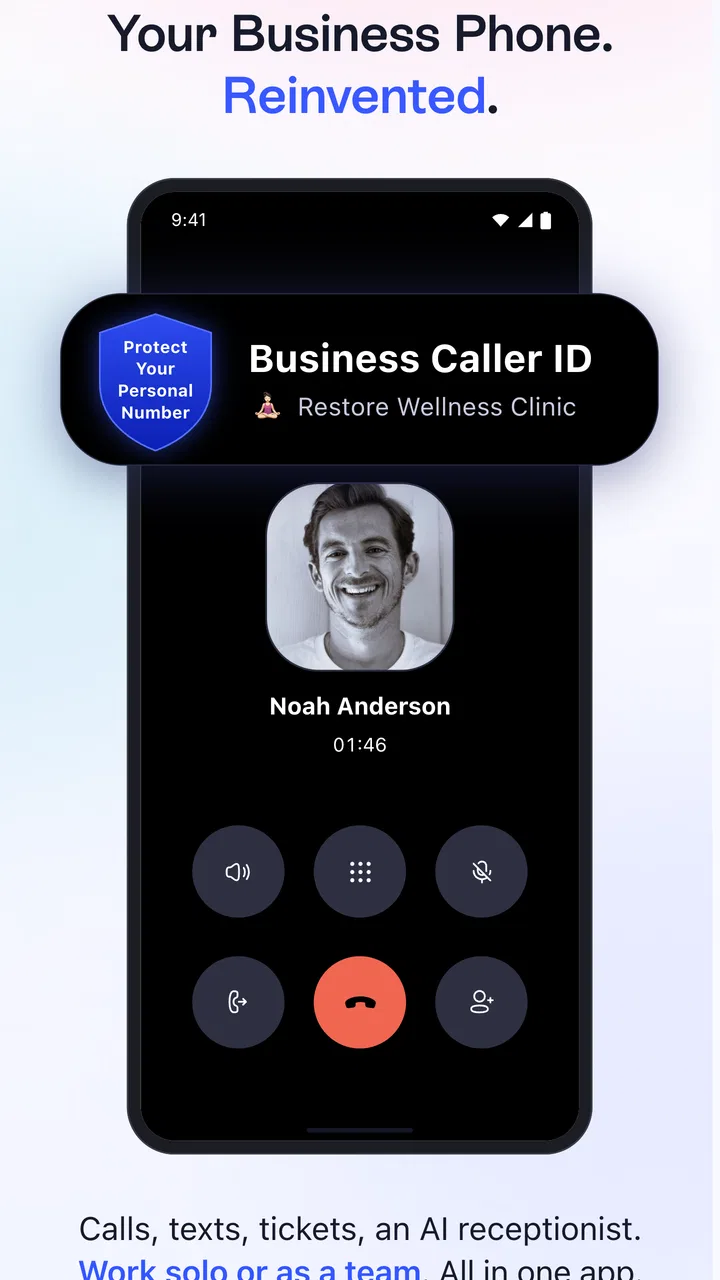
I tested Linked Phone Business Number as a practical way to separate work calls from personal communication, and I came away seeing it as a focused business tool rather than a complete replacement for a company phone system. Its main idea is simple: add a professional second line to a mobile device, with access to local and toll-free business numbers. That can be especially useful when I want customers to reach me without giving out my private number.
The app sits in the Business category and is developed by LinkedPhone. It is free to install, with optional purchases ranging from $0.99 to $99.99 per item. The current version is 22.4.0, and it runs on Android 7.0 or later. The age rating is Everyone, which fits the straightforward communication purpose. Its average score is 3.7 from around 858 ratings, while the app has passed 50,000 installs. Those figures suggest a real user base, but also a mixed experience worth considering before making it the only contact method for a business.
How the second line feels in everyday business use
My first impression was that Linked Phone Business Number makes sense for people who need a clear boundary between work and private life without carrying another handset. A freelancer can publish the business number on an invoice, social profile, or appointment card while keeping a personal number private. A small shop can use a local number for customer calls, and someone serving clients outside their area may prefer a toll-free option.
You May Also Like

 Blood Strike: 2.5 Anniversary
Blood Strike’s Loadouts Turn Every Drop Into a Tactical Gamble
A close look at Blood Strike’s custom loadouts: how fast access to signature weapons reshapes its battle royale rhythm, rewards preparation, and narrows the gap between fights.

 Pandora - Music & Podcasts
Pandora’s Music Is Easy to Start, but Harder to Recover
Pandora’s strength is its low-effort path from a seed to a station. Its weak spot is how much confidence it asks you to place in connection, setup, and quiet recovery.

 8 Ball Pool
8 Ball Pool Is Built on Rivalries, Rematches, and Routine
A close look at the rivalries, rematches, shared routines, and unanswered safety questions that turn a quick pool match into a persistent mobile community.

 Samsung Music
Samsung Music’s Quiet Strength Is Playing What You Already Own
Its reach comes less from spectacle than from dependable access to a personal library. That simplicity is both the app’s strongest retention engine and its ceiling.

 AccuWeather: Weather Radar
AccuWeather Review: A Quick, Clear Forecast for Everyday Decisions
For everyday plans, the best forecast is the one you can understand quickly. AccuWeather makes rain timing, radar, and local conditions easy to act on, with a few trade-offs.

 Hill Climb Racing
Why Hill Climb Racing Still Turns Crashes Into One More Run
A tiny car, a bumpy hill and one more upgrade: Hill Climb Racing keeps resurfacing because its simple chaos makes every near-miss feel personal.
More From Our News Desk
View All News


The important distinction is that this is a business phone line, not merely a contact-management app. The value comes from having a dedicated identity for work calls. That separation is useful even when the business is only one person. It lets me decide which number to share, which calls belong to work, and when I can stop treating the personal phone as an always-open customer channel.
A realistic example would be a self-employed repair technician who receives inquiries during the day. Instead of printing a private mobile number on every estimate, the technician can present the LinkedPhone number as the public contact. When the workday ends, the business line can remain the customer-facing route while personal conversations stay separate. That arrangement is not a full receptionist service, but it creates a cleaner workflow than mixing every caller in one number.
Readability and navigation for different users
For a basic second-line app, clarity matters more than decoration. A user may open it while standing in a shop, between appointments, or while trying to return a customer call quickly. I found the concept easy to understand: this is the business number area, while the ordinary phone app remains associated with personal calling. That mental separation is one of the product's strongest usability advantages.
People with limited technical confidence may appreciate not having to learn a separate desk-phone system. The app approach keeps the business line on a device they already know. Someone who is comfortable with regular mobile calling can usually understand the purpose quickly, although the exact comfort level will depend on how smoothly the app handles setup and day-to-day call actions on a particular phone.
Readability is also about reducing mistakes. A business owner who handles several inquiries in a row needs to know whether a call is being made from the professional line or the personal number. I recommend checking the displayed line identity before making important outbound calls, especially after switching between apps or returning a missed call from a notification. A dedicated number only helps protect privacy if the correct line is used consistently.
For users who rely on larger text, screen magnification, or strong contrast, the practical test is whether the important controls remain understandable after the device's own display settings are adjusted. I would not assume that every screen will be equally comfortable for every reader. Before publishing the number widely, I would complete the full setup and place a test call using the phone's preferred text size and display settings.
Motor and sensory considerations during calls
A second line can reduce physical demands in one important way: it removes the need to carry a separate business handset. That may help a user with limited hand strength, reduced dexterity, or difficulty managing multiple devices. One phone is easier to charge, carry, and keep nearby than two, and a professional line can be handled from the same familiar device used for other daily tasks.
At the same time, the app does not remove the normal challenges of phone communication. A person with hearing loss may still need a quieter environment, a compatible headset, or an alternative way to deal with callers. Someone sensitive to sound may prefer to keep the business line silent outside working hours, but the usefulness of that approach depends on the phone's notification and call controls. I would test those settings before relying on the number for urgent customer contact.
Motor accessibility also affects answering calls quickly. If a user has difficulty with swipe gestures, small buttons, or holding a phone for long conversations, the experience may be better with a headset, a stand, or device-level interaction settings. Those are practical workarounds rather than special LinkedPhone functions, but they can make the difference between a manageable business line and an exhausting one.
For people who have speech-related disabilities, the app's value depends less on the number itself and more on the communication method they need. A business line can provide a professional point of contact, but it should not be treated as a guarantee that every caller interaction will be equally accessible. If customers need text-based communication, written follow-up, or another channel, I would publish that option alongside the phone number rather than expecting every issue to be resolved by voice calls.
Situational access: work, travel, and shared spaces
Linked Phone Business Number is most convincing when the situation changes throughout the day. I can imagine using it from a home office, a shared workspace, or while visiting customers, without handing out a private number each time. A local number can make a small operation feel easier to reach in its service area, while a toll-free number may be more suitable when callers are spread across different locations.
Travel creates a useful privacy scenario. A business owner may need to contact clients from a personal device while away from the office, yet still want the outgoing identity to remain professional. The second-line concept addresses that need better than using a personal number and asking every customer to update their records later. I would still make a test call before traveling, because a business communication workflow should not be changed for the first time when an important customer is already waiting.
Shared spaces bring another consideration: privacy is not only about the number. A call taken in a café, reception area, or family room can expose business details to people nearby. The app can separate the identity of the line, but it cannot make a public conversation private. Users handling sensitive client information should choose their location carefully and consider whether a headset is appropriate.
For teams, the decision is more complicated. A solo professional can understand exactly who is using the line, but a growing company may need shared access, assignment rules, records, or a more structured phone system. I would not choose this app solely because a business has multiple employees. The right fit depends on whether the organization needs one professional contact point or a coordinated communications operation.
Where it compares well with ordinary alternatives
The usual alternative is to use a personal mobile number for everything. That costs less in the short term because there is no separate business identity to manage, but it makes privacy and work-life boundaries weaker. Once the personal number appears on invoices, listings, and customer messages, reclaiming that separation can be difficult. LinkedPhone is more useful when the professional identity matters from the beginning.
Another option is carrying a second physical phone. That provides a clear separation and may feel familiar, but it adds another device to charge, update, protect, and remember. A second-line app is more convenient for someone who wants one handset. The trade-off is that the experience depends on the phone and app working together smoothly, so users who demand hardware-level independence may still prefer a separate device.
At the other end are full business phone platforms. Those can be better for teams that need advanced routing, detailed administration, or a broader customer-service workflow. Linked Phone Business Number is a more focused choice for a person or small operation that mainly needs a public business number on a mobile device. Choosing it for a larger call operation could create frustration if expectations go beyond that central purpose.
The free entry point is appealing for testing the idea, but optional purchases mean I would review the available plan details carefully before moving a published business number or building customer processes around it. A trial run should include incoming calls, outgoing calls, missed-call handling, and use in the places where the business normally operates. That is more informative than installing the app and assuming the basic concept will fit every workflow.
Remaining barriers and practical friction
The biggest barrier is not understanding why a second line is useful; it is confirming that the line behaves reliably in the moments that matter. A business owner should test the number from another phone, return a call, and check that the caller recognizes the professional identity. I would also test it at different times of day and from the locations where customer calls are normally taken.
There is also a learning curve when a person is used to one standard phone app. Switching between personal and business communication can cause errors, particularly when returning a missed call. A simple personal rule helps: before every outbound customer call, pause and confirm that the business line is selected. This small habit protects privacy better than relying on memory.
Users with visual, hearing, motor, or cognitive access needs should evaluate the complete interaction rather than only the installation screen. Can they identify the correct call control? Can they tell whether the business line is active? Can they answer without a difficult gesture? Can they hear or otherwise manage the conversation in their normal environment? The answers may vary by phone model and personal settings, so a short hands-on test is essential.
Another limitation is expectation management. A professional number can make a business easier to contact, but it does not automatically provide a polished customer-service system. It does not replace clear opening hours, a response routine, or an alternative contact method for people who cannot or do not want to use voice calls. I would present the number as one part of a communication plan, not as the entire plan.
The app's 3.7 average shows that it is not a universal favorite, and I think that is a useful warning rather than a reason to dismiss it. A second-line product is highly dependent on individual phone habits, network conditions, and business needs. Someone who only wants to protect a personal number may find the idea worthwhile, while someone expecting a sophisticated office switchboard should look elsewhere.
My inclusive verdict
I recommend Linked Phone Business Number to freelancers, independent professionals, and very small businesses that need a public work number without carrying another phone. Its clearest strength is the boundary it creates: customers can receive a professional contact point while the owner's private number remains separate. Local and toll-free number choices also make the concept adaptable to different business identities and customer locations.
I would be more cautious for teams, high-volume support operations, or businesses that need extensive call management. In those cases, a full business communications platform may be the better investment. I would also ask users with specific accessibility needs to complete a real test call before committing, using their normal display, audio, and interaction settings.
The app is free to start, available to a broad age group, and maintained by LinkedPhone, with the current release listed as 22.4.0. Those details make it easy to explore without immediately buying another device. Still, the optional purchase range means I would compare the ongoing cost with a second handset or a more advanced service before publishing the number everywhere.
My bottom line is simple: LinkedPhone is a sensible privacy and organization tool when the goal is one mobile device with a distinct business identity. It supports more flexible working situations and can reduce the burden of carrying separate hardware. Its limits appear when accessibility needs require a different communication method, when several employees must share responsibility, or when the business expects a full phone system. For the right solo user, that focused approach is exactly what makes it useful; for everyone else, testing the complete workflow first is the safest choice.
FAQs for Linked Phone Business Number
01What is Linked Phone Business Number, and who is it designed for?
Linked Phone Business Number is a communication app intended for businesses, freelancers, entrepreneurs, and teams that need a separate professional number for calls and messages. It can help keep business conversations apart from personal communication while allowing users to manage customer contacts more conveniently. Before downloading, check whether its available number types, calling features, and supported countries match your business requirements.
02Can I use Linked Phone Business Number without sharing my personal phone number?
One of the main advantages of using a business-number application is the ability to communicate with customers or colleagues without exposing your private mobile number. Linked Phone Business Number may provide a separate number that can be used for business calls and messages, depending on the selected plan and region. Review the app’s permissions and number policies carefully before relying on it for sensitive communications.
03Does Linked Phone Business Number support calls, text messages, and voicemail?
The available communication tools can vary according to the app version, subscription, and country. Users should verify whether Linked Phone Business Number includes incoming and outgoing calls, SMS or business messaging, voicemail, call forwarding, caller identification, and contact management. Some features may require an additional payment or may be limited by local telecommunications regulations, so checking the current plan details is recommended.
04Is Linked Phone Business Number free to download and use?
The application may be free to install, but a separate business number, calling credits, premium tools, or extended usage could require a subscription or in-app purchase. Pricing can also differ depending on the country, number type, and selected billing period. Before creating an account, review the trial terms, renewal conditions, included minutes or messages, and cancellation process to avoid unexpected charges.
05Is Linked Phone Business Number secure enough for business communication?
Linked Phone Business Number should be evaluated like any other business communication service before being used for confidential customer or company information. Check its privacy policy, data-collection practices, account protection options, and whether it offers features such as verification, blocking, spam controls, or encrypted communication. Avoid sending highly sensitive data until you understand how conversations and account information are stored and protected.
Pros
- Keeps personal and business calls separate on one device.
- Professional number can improve customer trust and brand image.
- Supports call management features for handling busy periods.
- Useful for remote teams and employees working from different locations.
- Business communication can continue without sharing a private number.
Cons
- Availability and features may vary by country or phone carrier.
- Some advanced tools may require a paid subscription.
- Call quality depends heavily on internet or mobile network strength.
- Managing another number can make notifications harder to organize.
- Number portability or cancellation rules may be restrictive.

Linked Phone Business Number
Gallery